@Pictor
20% off @ Chefs today......BOFV
Thought i'd kill two birds with one stone and see if i could tag
20% off @ Chefs today......BOFV
Thought i'd kill two birds with one stone and see if i could tag

What the H--- they want to put it there for!?
Thanks Bob!
Uuh! that's what 'tag' is!@Pictor
20% off @ Chefs today......BOFV
Thought i'd kill two birds with one stone and see if i could tag
 ....what on earth does BOVF mean anyway?
Nope
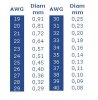
How are you inserting a pic Bob and Trish?
Uuh! that's what 'tag' is!
Thanks George! I'll use that
Uuh! that's what 'tag' is!
Thanks George! I'll use that
and don't use BOVF George said BOFV (buy One For Value ??????)It's got me totally confused! ...perhaps further use will make it easier/clearer! (My default is IE, so I'll keep using that.)TBH I think it is a better option - it's the "More Options" which isn't as good, used to take you straight to a preview, now you have to wait for that to load, then press the "Preview" button
Yes, got that!When you have browsed to the file, there is an option to show thumbnail or the picture - don't choose thumbnail
I did try using the full image but the first time all I got was a link (that didn't work by the way), second time, it inserted the image into the body of the post ...and by the look of it, it re-sized it or it wouldn't have loaded!Oh dear! by the time we work all this out we'll have addled brains! So, I'm being @tted at!Yeah! doesn't work when you forget and put @trish the first time 'tho
Yeah! doesn't work when you forget and put @trish the first time 'tho
It does - you've just tagged a new member called Trish
This new forum is destroying my IT 'skills' (such as they were!)Humour me Trish i'm not very computer savvy
So, if using IE - how exactly did you do that just so I can compare notes!
Where? in my 'alerts'? ...or the little elongated box pop-up that says I have new alerts?Oh! you got the little notification box come up
H-ha! No, thanks Bob - I usually copy paste discount codes from the source ...in this case, George.and don't use BOVF George said BOFV (buy One For Value ??????)
It does - you've just tagged a new member called Trish
Ah well! Maybe she'll drop by for a chat


Ah well! Maybe she'll drop by for a chat
that's really gonna put her off.
Where? in my 'alerts'? ...or the little elongated box pop-up that says I have new alerts?
So, if using IE - how exactly did you do that just so I can compare notes!