Evolv-ing Thread

Steamer861

Ultra Member
ECF Veteran
Verified Member
Jan 13, 2014
2,710
23,383
Canada
Check in device Manager and see if your video card is listed, without the drivers the correct aspect ratio might not be available.

In device manager I see display adapters & monitors but neither seem to be populated with any thing? Am I missing video card drivers? If so how do I fix that? Will clean install find and repair this issue?

The fan seems to have quite down :)
 

awsum140

Resting In Peace
ECF Veteran
Verified Member
Jun 12, 2012
9,855
46,386
Sitting down, facing forward.
What's the make and model of the laptop? Go to the manufacturer website, before you start, and make sure that it is compatible with the latest version of Win10 and download the latest driver for it onto a usb drive so you have it handy when it's needed.
 
Last edited:

Steamer861

Ultra Member
ECF Veteran
Verified Member
Jan 13, 2014
2,710
23,383
Canada
The HP site just gives me this spinning square :( it says it's looking for software for my PC but, it's taking for ever :( Is a third party site advisable? Or will windows just find & install all the necessary drivers & software I need when I do a clean install?
Oh & will my old Vista product Key work on windows 10 ?
 

BillW50

Vaping Master
ECF Veteran
Verified Member
Nov 23, 2014
3,429
34,966
US
In device manager I see display adapters & monitors but neither seem to be populated with any thing? Am I missing video card drivers? If so how do I fix that? Will clean install find and repair this issue?

It might be using Windows generic drivers which might be just fine, maybe.

The fan seems to have quite down

There is some feature that newer browsers with older machines just pegs the CPU to max. It drove me nuts and why I bought 4 new Windows 10 machines last year and it is gone. Most websites were just fine. Just some that had media content in them were a problem.

I should have added download all the current drivers for Win10 while you're at it.

Absolutely.

Oh & will my old Vista product Key work on windows 10 ?

Do you have the physical product key number or is it secretly digitally stored on the drive? And I don't know for sure if Vista is upgradable to a free Windows 10 or not. And when I get scared and even before, the first thing I do is to clone the drive. I don't know if this is an easy option for you or not. That way you can experiment all of want with the clone without losing anything from the original.
 

awsum140

Resting In Peace
ECF Veteran
Verified Member
Jun 12, 2012
9,855
46,386
Sitting down, facing forward.
I know that from Win7 it's a free "upgrade" (?) to Win10. Vista may be too far back in the product line for a freebee. However, if the machine had Win10on it at any time the key should be in the BiOS and still be good. I'd see if I could download those drivers for you, but they won;t be much good for you if they're in NJ and I'm betting they'd be too big for email.
 

Steamer861

Ultra Member
ECF Veteran
Verified Member
Jan 13, 2014
2,710
23,383
Canada
So it looks like I can double the ram from 2 to 4 & I have a 500 gig SSD that should fit :)
If I remember correctly I upgraded to Windows 7 with a retail box OS I bought from Cosco & Windows 10 was a free upgrade :)
I tried the clean install & it Error out first try :( It just said that Some thing went wrong & to try again :(
 

BillW50

Vaping Master
ECF Veteran
Verified Member
Nov 23, 2014
3,429
34,966
US
So it looks like I can double the ram from 2 to 4 & I have a 500 gig SSD that should fit :)
If I remember correctly I upgraded to Windows 7 with a retail box OS I bought from Cosco & Windows 10 was a free upgrade :)
I tried the clean install & it Error out first try :( It just said that Some thing went wrong & to try again :(

Cryptic errors. :facepalm: But yes for many Vista users, Window 7 was a free upgrade. And from Windows 7 to Windows 10 is also free. :D
 

Steamer861

Ultra Member
ECF Veteran
Verified Member
Jan 13, 2014
2,710
23,383
Canada
The stupid thing has 2 Hard-drives :( One is marked 1 & one is marked 2 :(
How can I figure out witch one is the main drive with the OS on it?
Can I eliminate the second drive & run just one SSD?
In Device Manager they are marked "C" & "F"
If at all posable I would like to remove both & use an SSD I have here?
 
Last edited:

Steamer861

Ultra Member
ECF Veteran
Verified Member
Jan 13, 2014
2,710
23,383
Canada
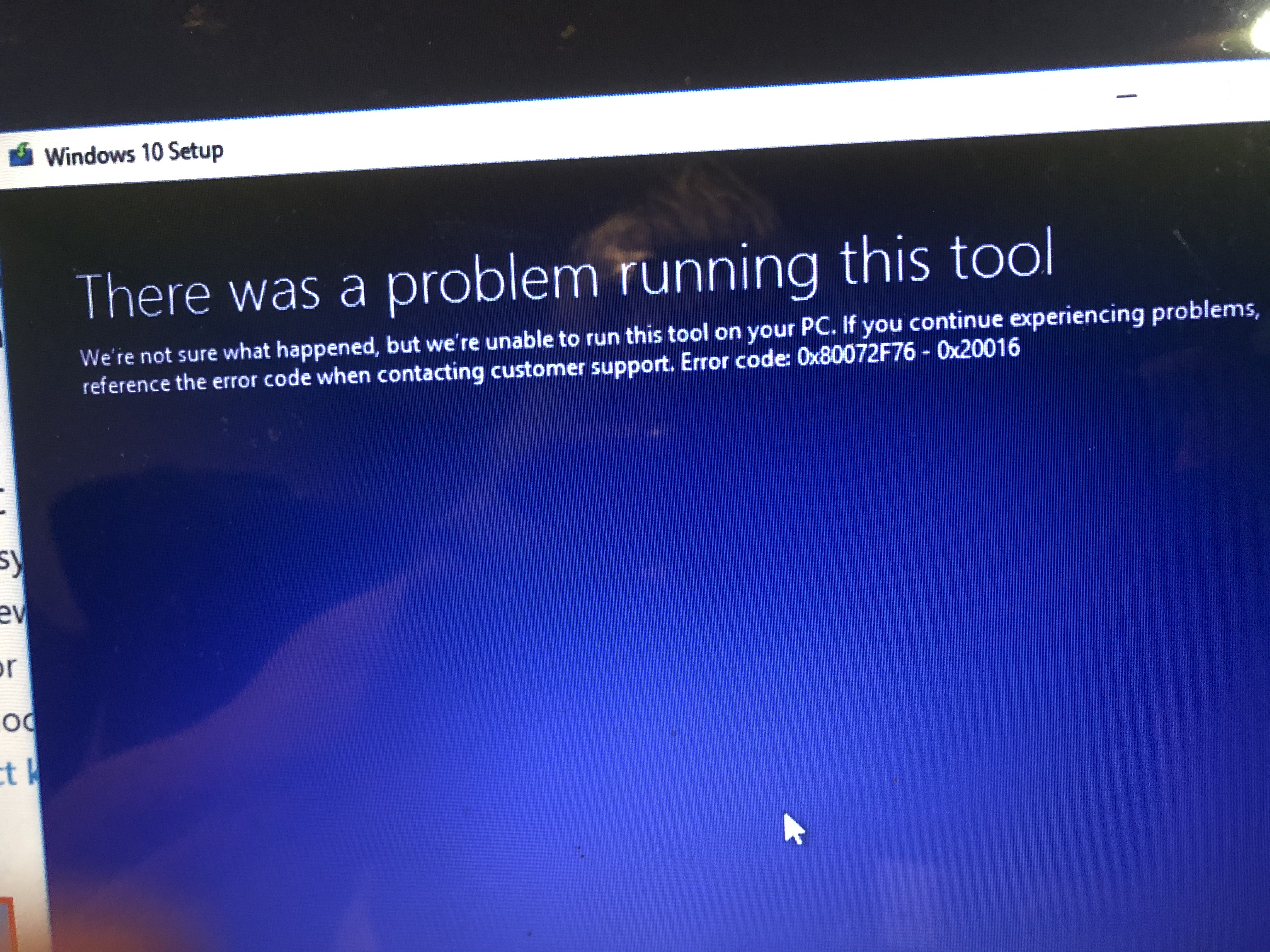
It error out again :( This is the screen shot

Now can I just put my SSD in there Boot of my copy of Windows 7 & Go clean install?
Then upgrade to windows 10 ?

vZbim0M.jpg
 

dwcraig1

Vaping Master
ECF Veteran
Verified Member
Mar 17, 2012
9,017
49,749
Imperial Beach, California
It all started this morning when I cleaned the fan filters (fine mesh) on my desktop. I then proceeded to run Aida64 to check the temp of the north bridge and cpu cores. Low and behold these temp were no longer available. So I say to my self "self why" . Is it because I upgraded the bios not too awful long ago or is it a Windows 10 thing. I had all kinds of difficulty getting the bios to see the file on my USB drive and tonight I was able to get it done by using a USB card reader with a micro SD. Well It turned out to be a Windows 10 thing as only the hard drive temp display.
 

Steamer861

Ultra Member
ECF Veteran
Verified Member
Jan 13, 2014
2,710
23,383
Canada
I have a lot more to add, but for this and it is easy to remove the old drives and you slap in the SSD and see what you can install, go for it!

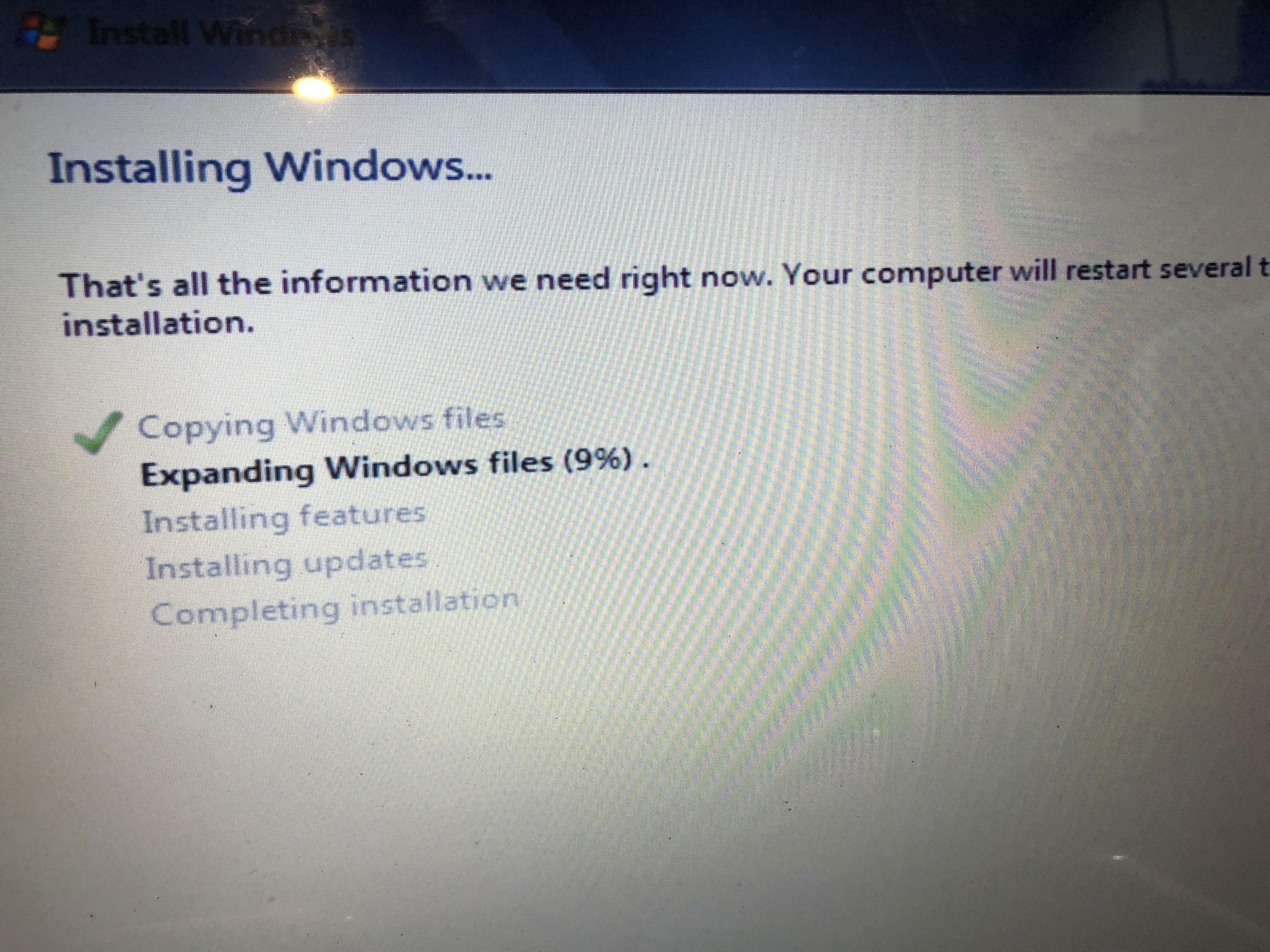
Well I did just that! It took me a while to figure out how to get the SSD to work with a Windows PC , but after formatting it with Mac Disk Utility to MS Fat & Master Boot Partition I was able to connect it to my Widows PC & format it to NTSF :) & Now This :)
I'm using my copy of Windows 7 cause I have a proper Product Key I can all way update to Windows 10 later :)

HXIHwWu.jpg
 

TrollDragon

ECF Guru
ECF Veteran
Dec 3, 2014
10,556
57,665
NS, Canada
Well I did just that! It took me a while to figure out how to get the SSD to work with a Windows PC , but after formatting it with Mac Disk Utility to MS Fat & Master Boot Partition I was able to connect it to my Widows PC & format it to NTSF :) & Now This :)
I'm using my copy of Windows 7 cause I have a proper Product Key I can all way update to Windows 10 later :)

HXIHwWu.jpg
If you are using a retail version of Windows 7 there won't be any drivers for the network, sound, video, chipset & power management etc. You'll have to get up on HP's support site, enter the serial number and see if there are any drivers available. If there are none to be found then you will need to go digging for drivers by the PCI Vendor ID of the unknown devices, "MOST" of the time the manufacturers reference drivers will work instead of HP specific versions.

The hardware ID is what tells you what an unknown device is in the system. Some of the specific chipset drivers are part of other packages for TPM and power management etc. You won't find a direct driver for those so you need to install the proper package (usually Intel specific hardware).

For example, here is the info for my Realtek Network card. The PCI ID for my card shows the Vendor is 10EC (Realtek) and the Device is 8168 (RTL8111/8168/8411or similar) the problem is they share these numbers across various versions of the cards but the reference driver from Realtek includes a lot of their cards in one driver package.

You can look up VEN_DEV numbers in the PCI repository.
PCI Devices

Annotation 2020-06-07 004523.png


If you have any devices with a bang on them (Triangle Exclamation icon) in the device manager, post what they are here if you can't find a driver for it.

Good luck! Sometimes letting the Windows driver manager search the Windows repository for missing drivers can find them, but most of the time it can't.
 

Steamer861

Ultra Member
ECF Veteran
Verified Member
Jan 13, 2014
2,710
23,383
Canada
Thanks a lot Troll :) I only have one question mark in Device Manager, I'm upgrading to Windows 10 now So we'l see what happens after that Thanks again :)
Oh BTW the screen is back to normal now :) Every thing fits right :)
I tried to go to the HP site & the browser was so out of date I couldn't log on, I'l try agin after the OS upgrade :)
 

dwcraig1

Vaping Master
ECF Veteran
Verified Member
Mar 17, 2012
9,017
49,749
Imperial Beach, California
Thanks a lot Troll :) I only have one question mark in Device Manager, I'm upgrading to Windows 10 now So we'l see what happens after that Thanks again :)
Oh BTW the screen is back to normal now :) Every thing fits right :)
I tried to go to the HP site & the browser was so out of date I couldn't log on, I'l try agin after the OS upgrade :)
Install Goggle Chrome and not have that problem.
 

BillW50

Vaping Master
ECF Veteran
Verified Member
Nov 23, 2014
3,429
34,966
US
Install Goggle Chrome and not have that problem.

Ugg! Chrome has very little controls and Google uses Chrome to collect all of your browsing habits and sells them to anybody who is willing to pay money for it. Other browsers are much safer and has far more safety controls. But most people use Chrome because it makes life easy. But by doing so just justifies the police state to infringe more on your rights. :(
 

Users who are viewing this thread